Profiles Management
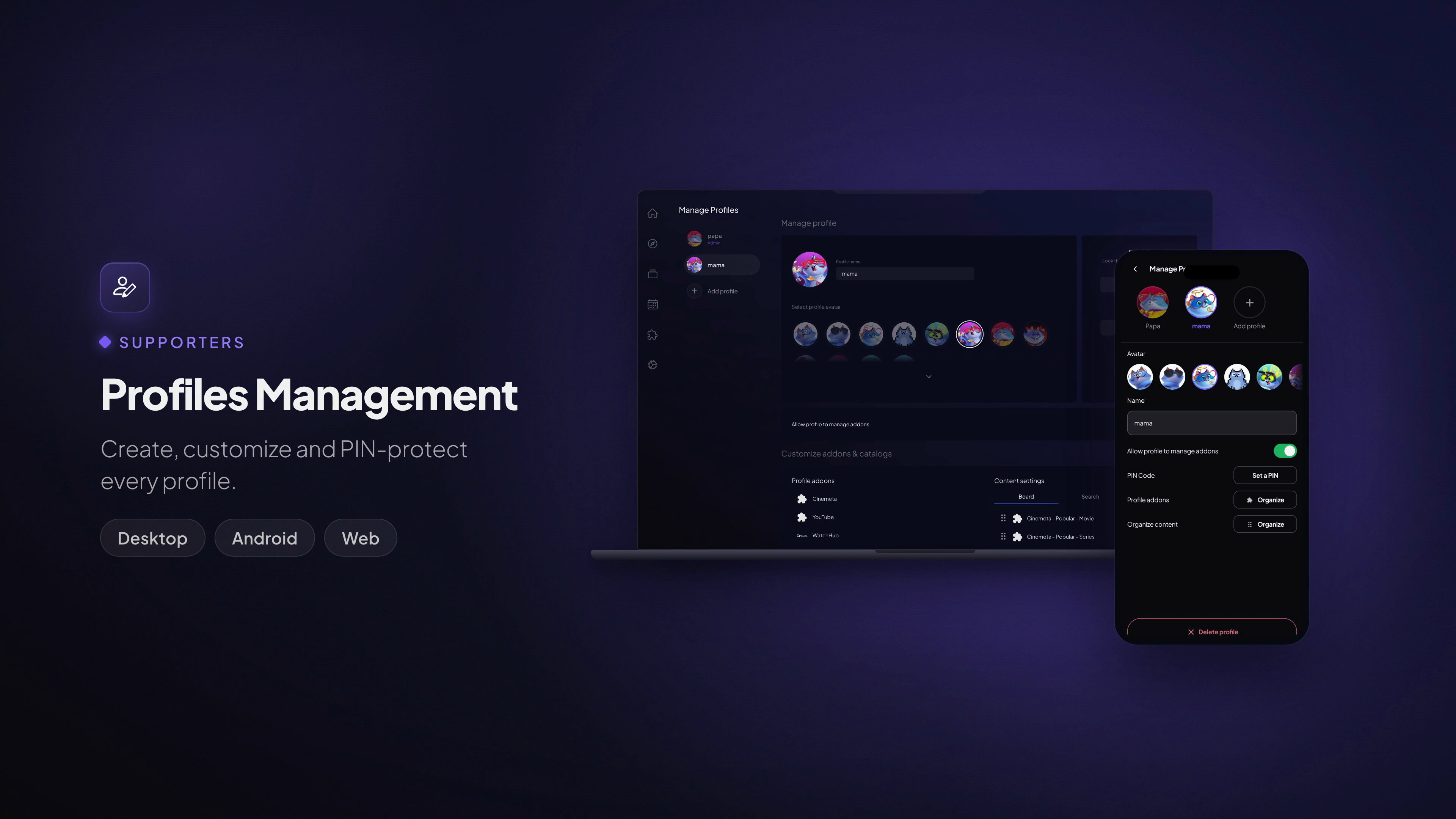
Create, customize and PIN-protect every profile.
Available on: Desktop · Mobile (selection and switching works everywhere — see User Profiles)
What it does
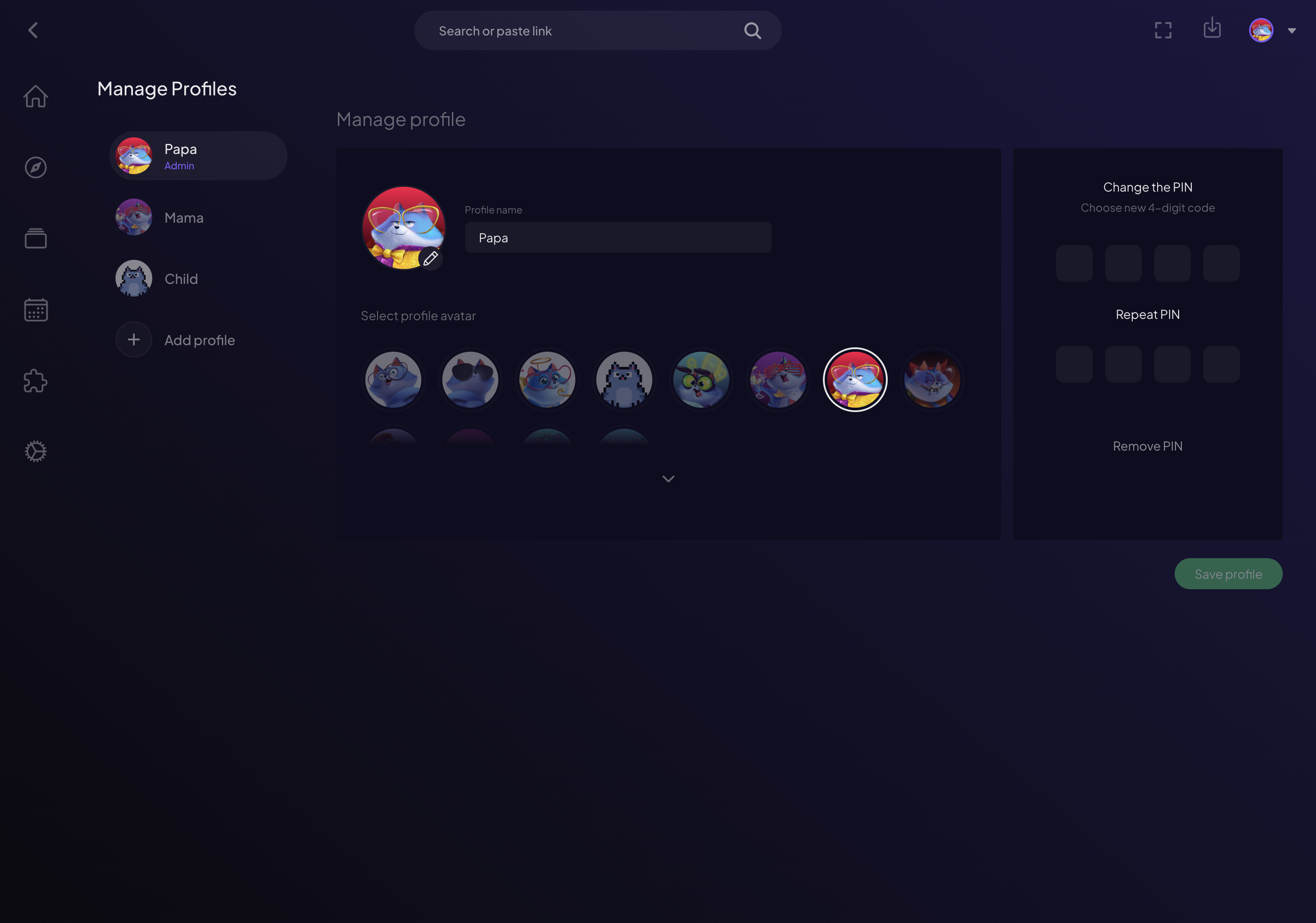
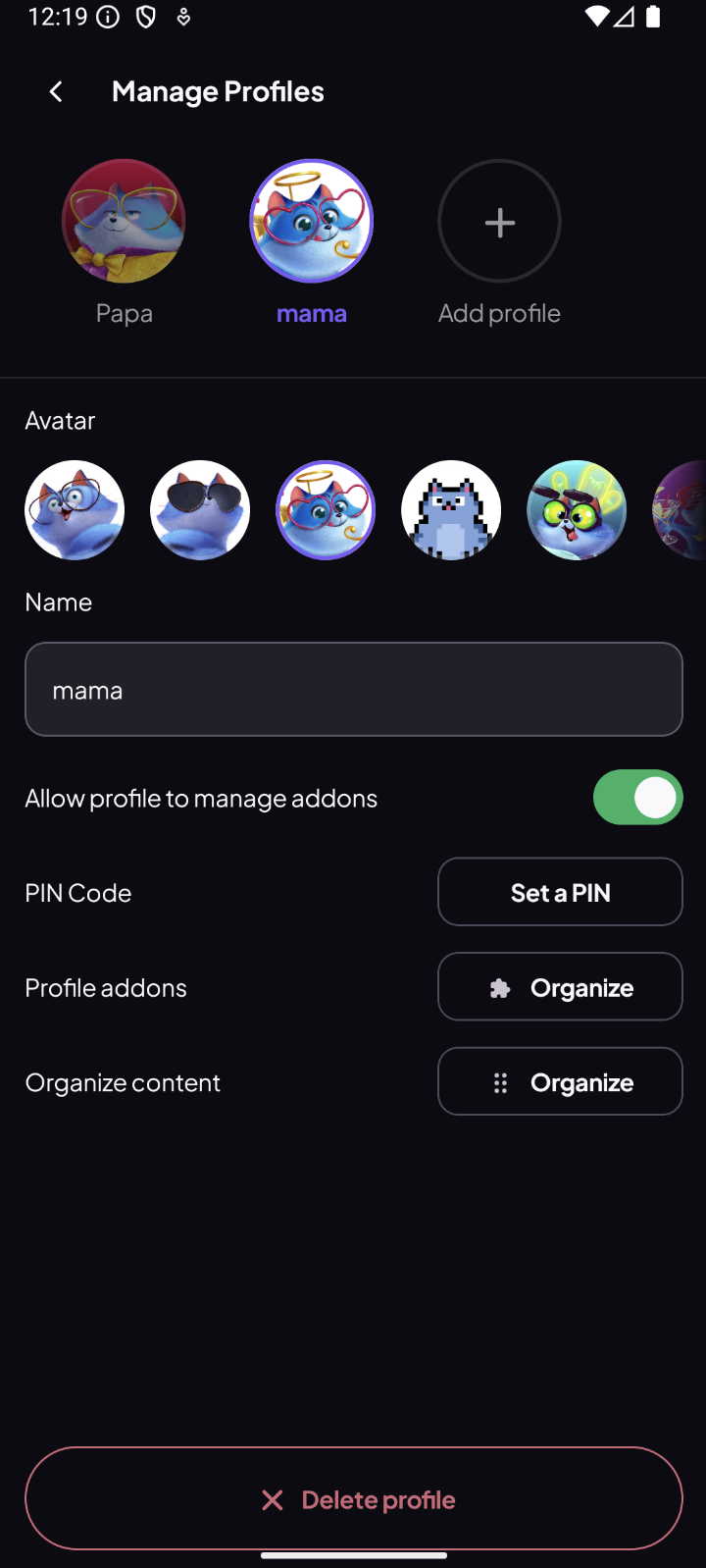
The account owner manages every profile from one place. From the management screen you can:
- Create new profiles for the people in your home.
- Name each profile and give it an avatar.
- Set a PIN to keep a profile private.
- Control add-on permissions — decide whether a profile can install and remove its own add-ons, or stick to a curated set.
- Clone add-ons from the main account when creating a profile, so a new profile starts ready to go.
- Edit or delete profiles at any time.
How to use it
Everything lives under the Supporters menu — Switch Profile, Manage Profiles, Add-ons and Downloads are all one tap from the home screen:
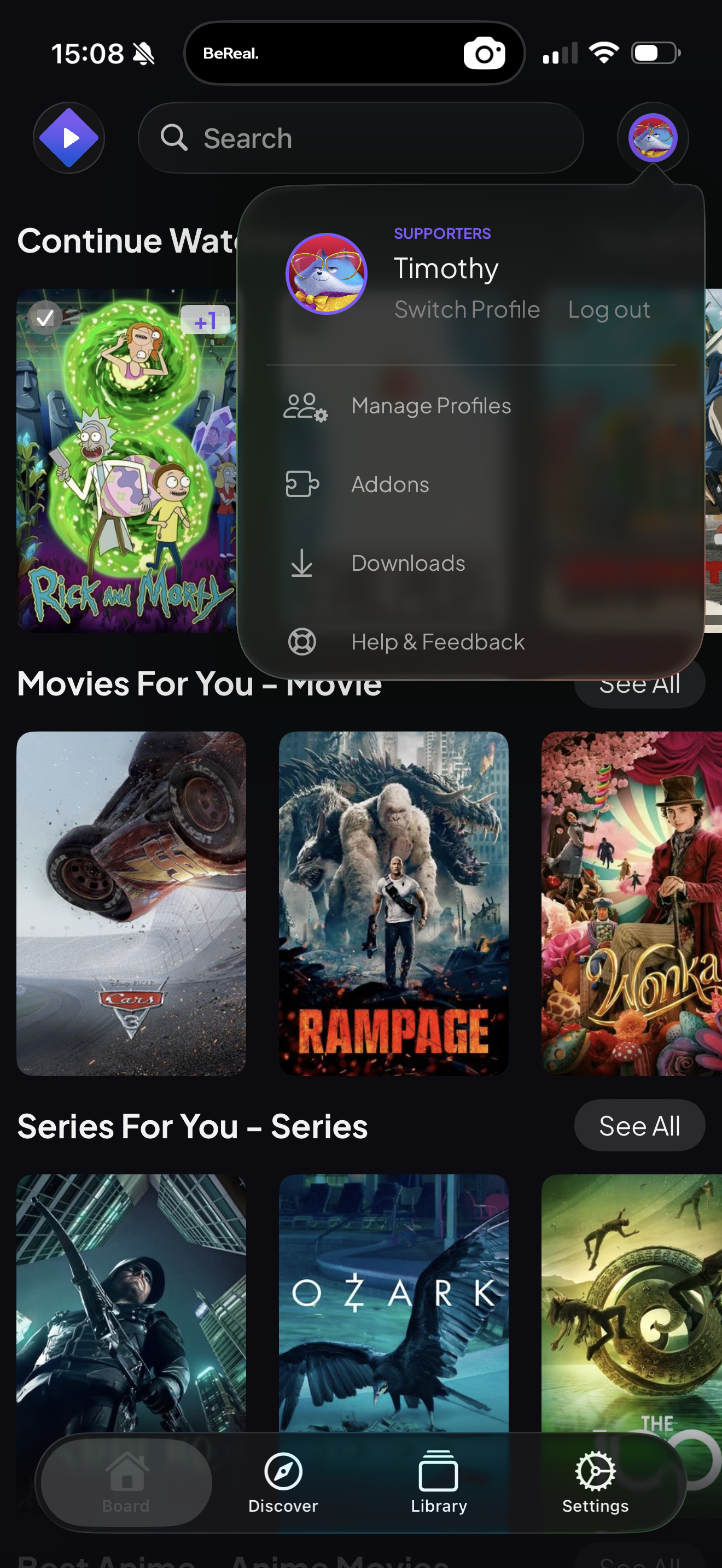
- Open Settings → Supporters → Manage Profiles (the account owner only).
- Tap Add profile, then set a name, pick an avatar, and optionally set a PIN and choose whether the profile can manage its own add-ons.
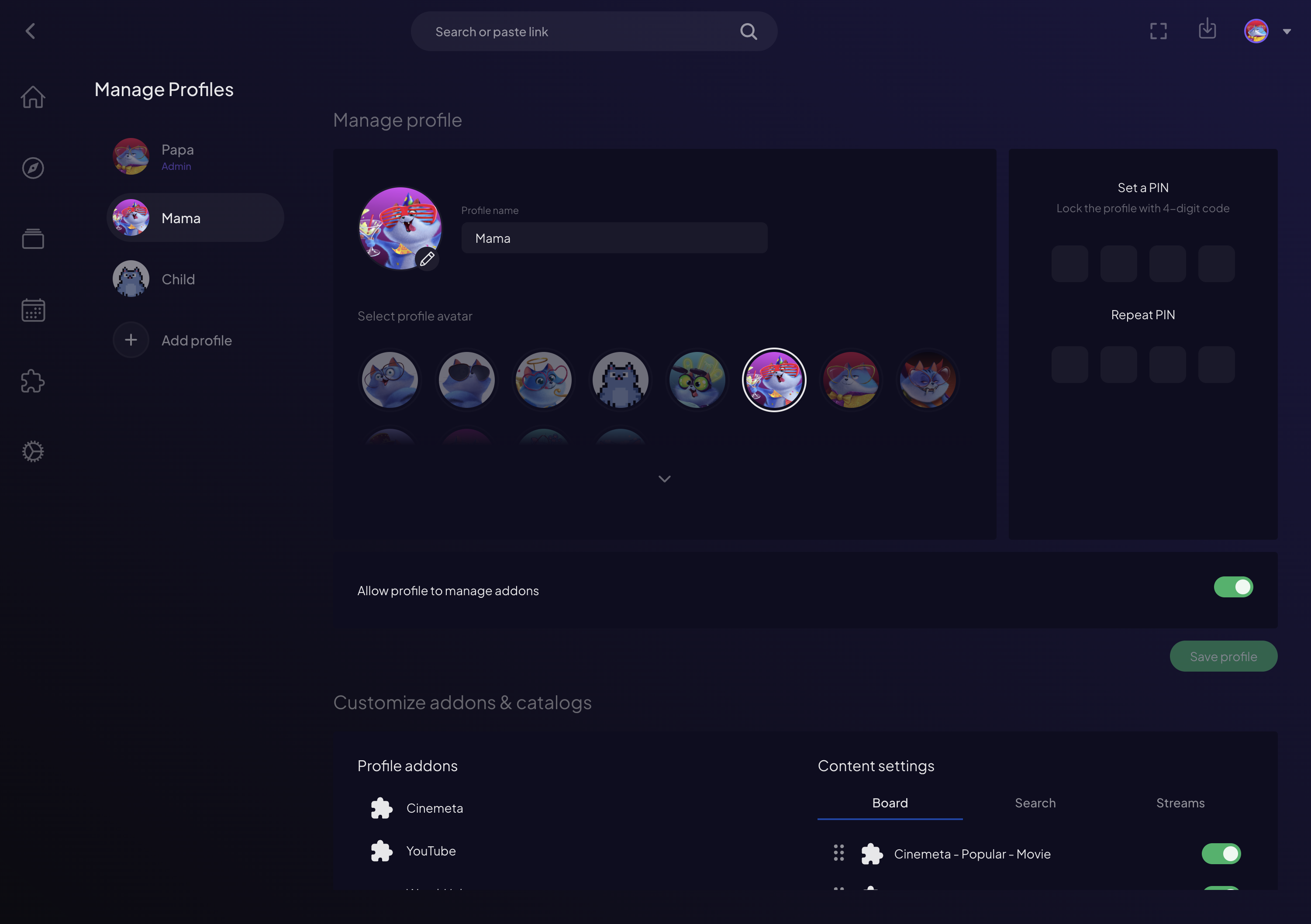
- Save. The new profile immediately appears on the Who's watching? screen on every device.
- To change a profile later, select it here and edit its name, avatar, PIN or permissions — or remove it.
Full management is available on Desktop and mobile:
Note: TVs use the profiles you create here but don't edit them — set everything up once on a phone or computer and it syncs to the TV automatically.